
How to Verify a Saudi VAT Number: Correct Format and the ZATCA Lookup
How to tell whether a Saudi VAT number is valid: its format (15 digits starting and ending with 3), ZATCA’s free lookup by VAT or CR number, and where it must appear on an invoice.
Before you issue a tax invoice to a customer, or pay a supplier invoice that charges 15% VAT, check the VAT number. The check has two steps: the format first, then the actual registration through ZATCA's free service.
Step one: the correct VAT number format
ZATCA's e-invoicing XML implementation standard requires the seller VAT registration number (or group VAT number) to contain 15 digits, with 3 as the first and the last digit. The same rule applies to the buyer's VAT number when it appears on a non-export invoice.
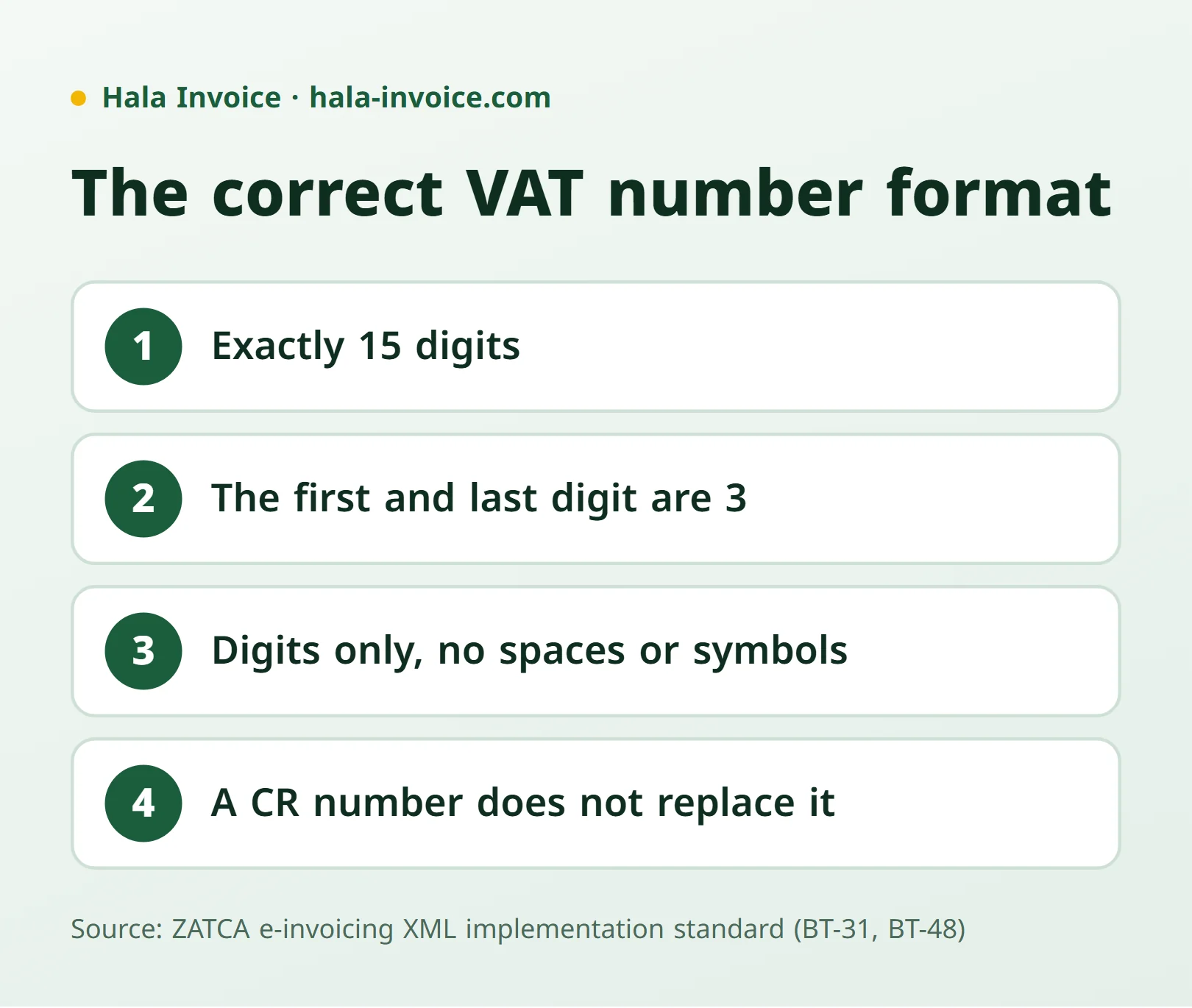
- Digits only, with no spaces, symbols or letters.
- Exactly 15 digits; anything shorter or longer is not a VAT number.
- A commercial registration (CR) number is a different number and does not replace the VAT number on an invoice.
A correct format does not prove the business is registered; it only means the number could be a VAT number. That is what step two is for.
Step two: ZATCA's lookup service
ZATCA offers VAT Registration Verification, a free service available to taxpayers and the public without visiting a branch:
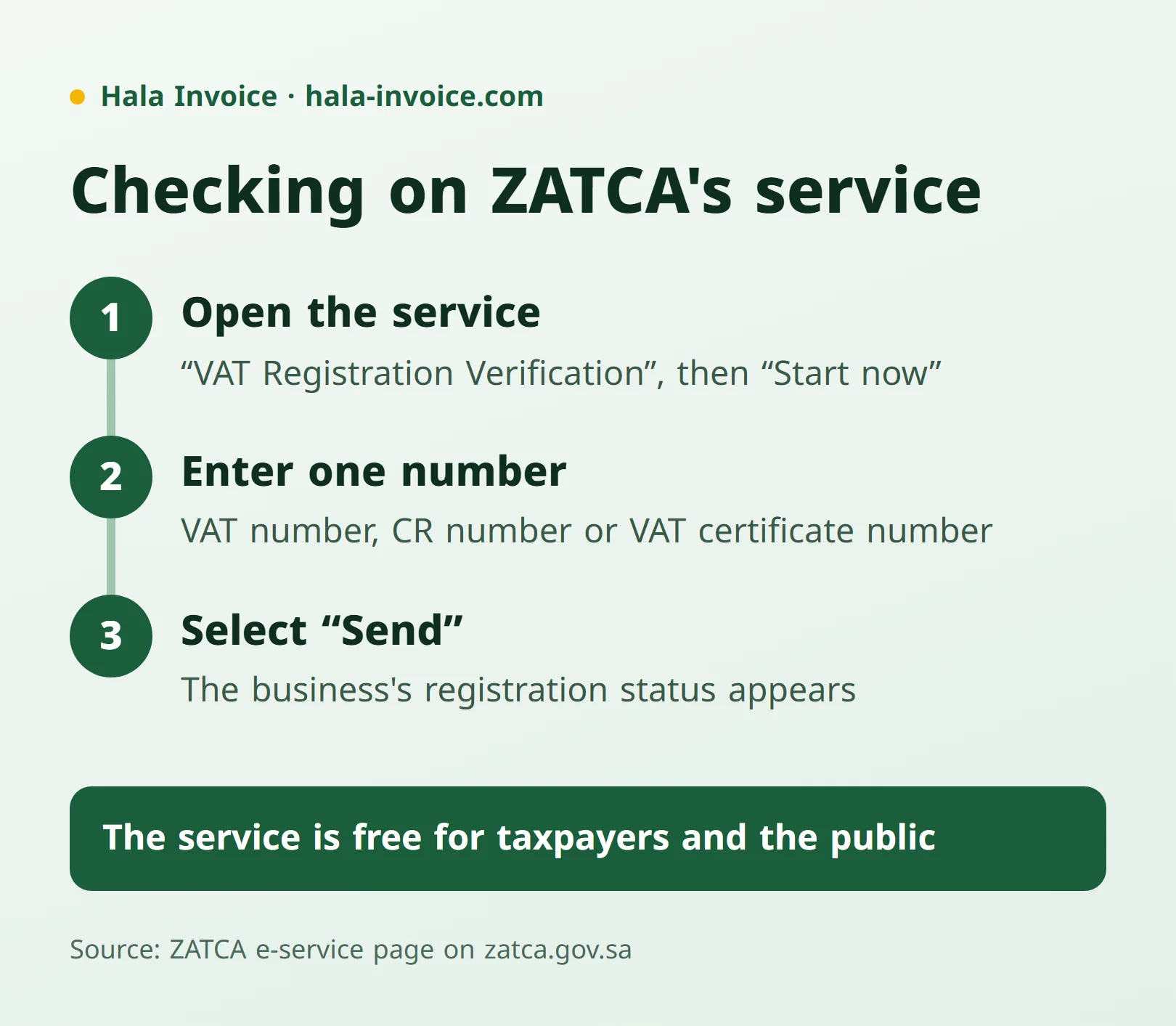
- Open the service page on the ZATCA website and choose "Start now".
- Enter one of: the VAT account number, the Commercial Registration number, or the VAT certificate number.
- Select "Send" and the business's VAT registration status appears on screen.
If you only have the CR number, the same service accepts it. Use ZATCA's official site (ending in gov.sa), not third-party checkers.
Where must the VAT number appear on an invoice?
Under ZATCA's Guideline for Tax Invoicing and Records (Version 3, May 2026):
- The supplier's VAT number is mandatory on both full and simplified tax invoices.
- The customer's VAT number is required on a full tax invoice when the customer is registered; otherwise an alternative identifier such as the CR or national ID is shown.
- A simplified invoice does not require customer details; see the simplified invoice guide.
The full list of invoice data is in the tax invoice template guide.
What if the registration does not show?
- First check the number has no spaces, and try the lookup with the CR number.
- Ask the supplier for its VAT registration certificate.
- If a business charges VAT without being registered, or shows an incorrect VAT number, ZATCA has a service for reporting VAT violations that names these cases.
The VAT number in the free invoice generator
The free Hala Invoice generator rejects any seller VAT number that is not 15 digits starting and ending with 3, which stops common typos before you export a PDF. This is a format check only; ZATCA's service confirms the registration itself.
Practical rule: check the format (15 digits, first and last digit 3), then look the number up on ZATCA's service by VAT or CR number before the first invoice with any new customer or supplier.
Frequently Asked Questions
How many digits is a Saudi VAT number?
A Saudi VAT number has 15 digits, and its first and last digits are 3, per ZATCA’s e-invoicing XML implementation standard.
How do I verify a Saudi VAT number?
Use ZATCA’s VAT Registration Verification service: enter the VAT number, CR number or VAT certificate number and select Send to see the registration status.
Can I verify a VAT number with the CR number?
Yes. ZATCA’s service accepts the Commercial Registration number to check a business’s VAT registration.
Is the ZATCA VAT lookup free?
Yes. The service is free and available to taxpayers and the public on the ZATCA website.
Keep learning
Related Saudi guides
Invoice Types
How to issue a tax invoice in Saudi Arabia
Choose a standard or simplified invoice, enter the required details, calculate VAT, and check the issue date and QR code using official ZATCA sources.
Read guideInvoice Types
Quotation invoice: when do you need a tax invoice instead?
A quotation sets out a commercial proposal. Learn what to include and when a sale or advance payment requires a tax invoice instead.
Read guideInvoice Types
Receipt voucher or tax invoice: when do you need each?
A receipt voucher records money received but does not remove a required tax invoice. Learn the difference, advance-payment rules, and how to link the documents.
Read guideReady to Create Your Invoice?
Create a local invoice PDF with ZATCA-format QR data – free with no signup
Create Invoice Now✓ 100% Free • ✓ No Signup • ✓ ZATCA-format QR data