
How to issue a tax invoice in Saudi Arabia
Choose a standard or simplified invoice, enter the required details, calculate VAT, and check the issue date and QR code using official ZATCA sources.
To issue a tax invoice in Saudi Arabia, first confirm that your business is registered for VAT. Then identify the customer and transaction to choose a standard or simplified invoice, enter the required details, calculate the VAT due, and issue the invoice on time. A tax invoice is more than a design displaying your business name: it documents a taxable supply and must meet specified requirements. An unregistered person cannot issue one. Sections 2 and 4.1.3 of the Tax Invoicing Guideline explain this distinction.
Choose the invoice type for the customer and transaction
For ordinary domestic transactions, consider the following questions before entering amounts. Do not base your choice on the payment method or template design. Check the customer's status and the supply value, taking account of exceptions relevant to your transaction.
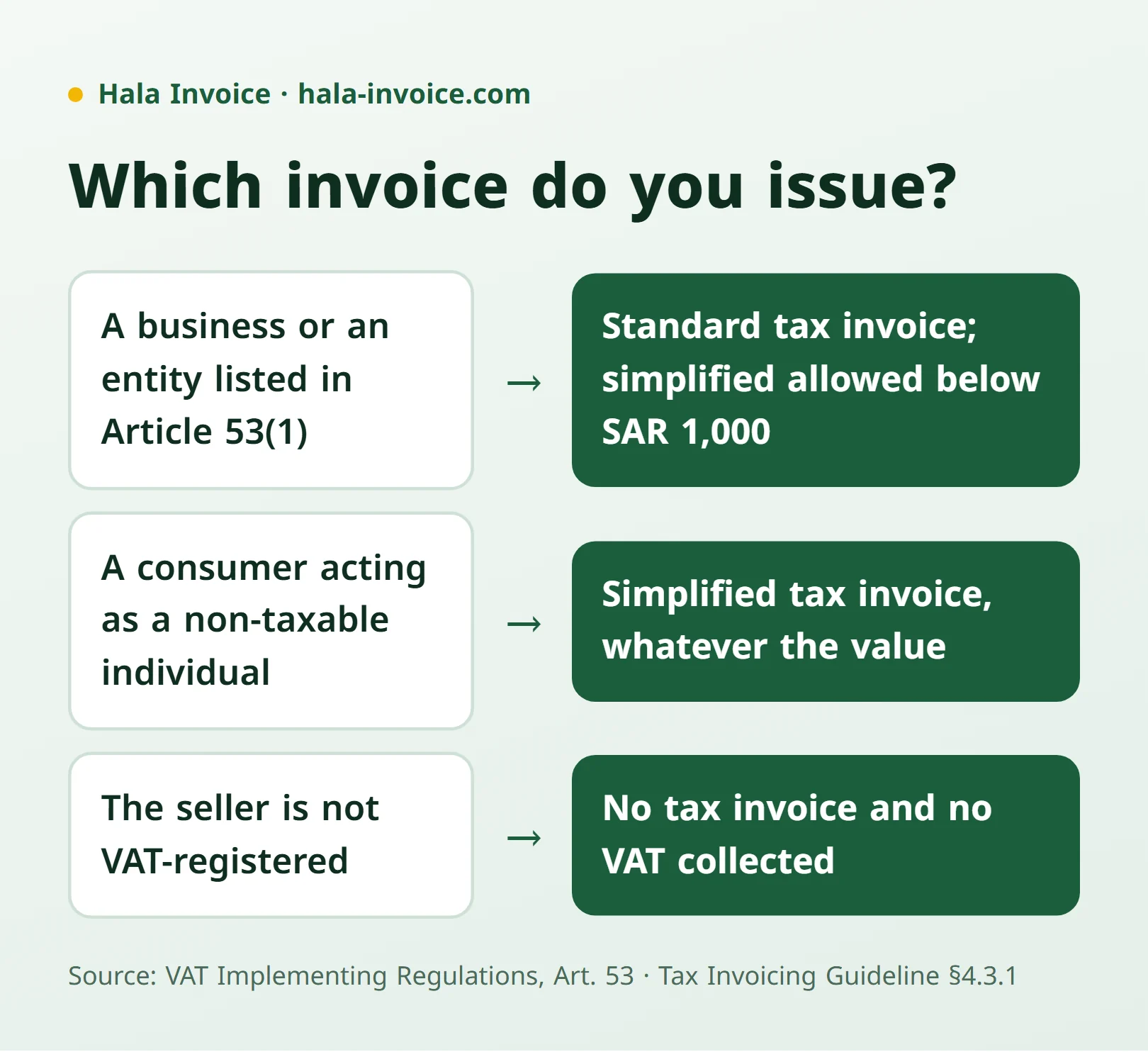
| Situation | Invoice type |
|---|---|
| A taxable supply to a business or another entity specified in Article 53(1) | A standard tax invoice; a simplified invoice may be used if the supply value is below SAR 1,000 |
| A supply to a consumer acting as a non-taxable natural person | A simplified tax invoice may be issued regardless of value |
| The seller is not VAT-registered | The seller cannot issue a tax invoice or collect an amount as VAT |
These cases follow Article 53(1) and 53(7) and Section 4.3.1 of the Tax Invoicing Guideline. A sole proprietor buying for their business differs from a consumer buying for personal needs. See our simplified tax invoice guide for more detail.
Prepare the invoice details before issuing it
Use this condensed checklist to review the main fields, rather than as an exhaustive list for every situation. Article 53(5) and 53(8) specify the minimum for standard and simplified invoices; Sections 4.2.1–4.2.3 of the Tax Invoicing Guideline explain language, currency, and field details.
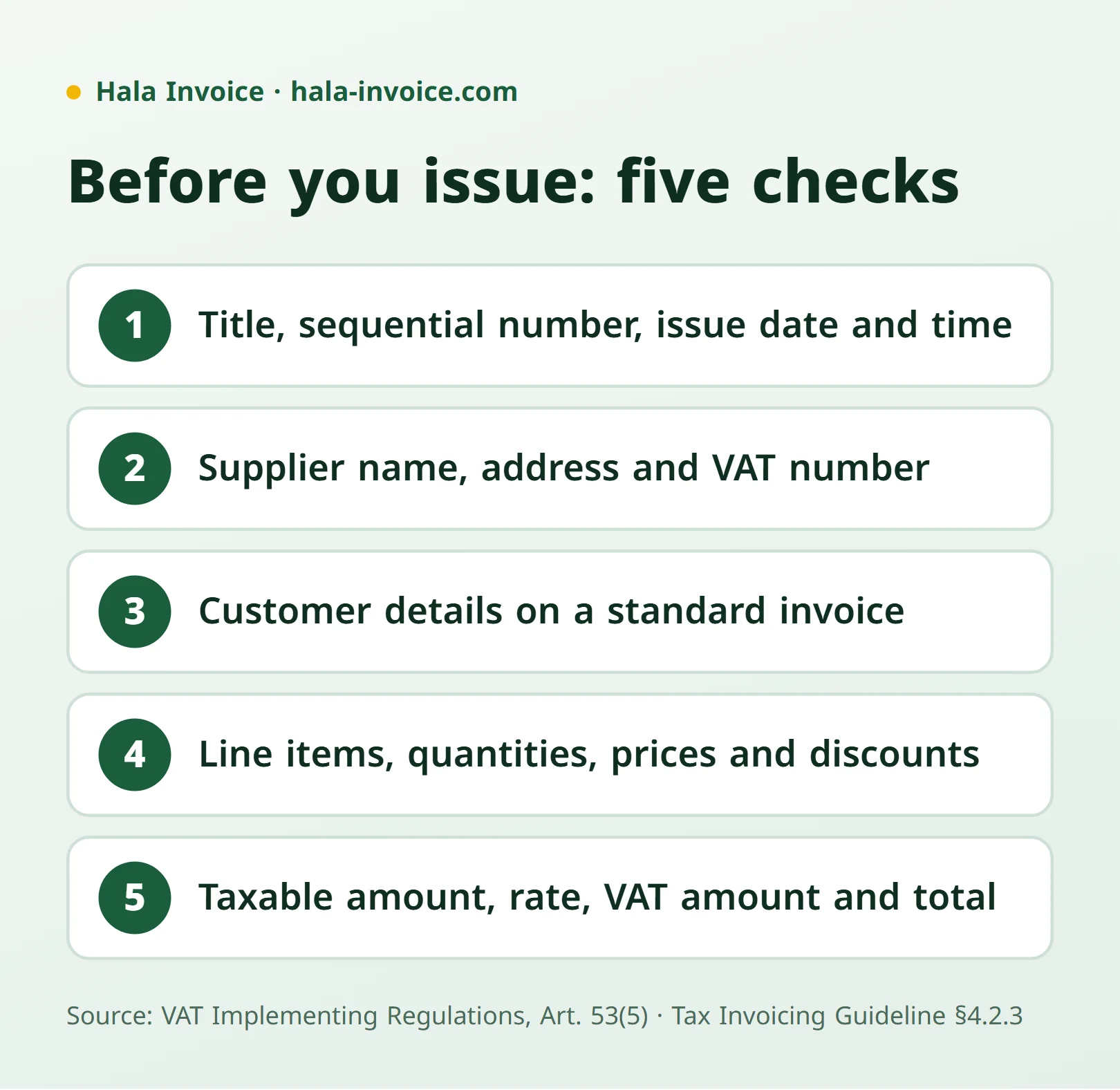
- Identify the document as a “Tax Invoice” or “Simplified Tax Invoice,” with a unique sequential invoice number and its issue date and time.
- Enter the supplier's legal name, address, and VAT registration number using the registration certificate details.
- For a standard invoice, enter the customer's name, address, and VAT number if registered. For an unregistered customer, consult the additional-identifier list in Section 4.2.3 and enter the required identifier.
- Describe the goods and quantities, or the nature and scope of services, with unit prices, discounts, and relevant amounts.
- Show the taxable amount, applicable rate, VAT amount, total, and the supply date if it differs from the standard invoice's issue date.
Issue the invoice in Arabic; English may be added. VAT must be stated in Saudi riyals even if another currency is used for the invoice. A simplified invoice includes its issue date, supplier details, supply description, consideration, and tax information, together with the relevant electronic issuing elements. Use our tax invoice template guide to help organise the fields, then check the requirements for your transaction type.
Calculate VAT on the correct value
The 15% rate applies when the supply is subject to the standard rate. Do not assume every good or service carries that rate. Calculate VAT on the actual value after discounts, as explained in FAQs 8 and 9 of the Tax Invoicing Guideline.
Illustrative calculation: if the amount after discounts and before VAT is SAR 200, and the supply is subject to the standard rate, VAT is SAR 30 and the total is SAR 230. Check whether the price you entered already includes VAT before adding an amount. Our guide to calculating 15% VAT explains the calculation. Calculate items with different tax treatments separately instead of applying one rate to everything.
Meet the issue deadline and check the QR code
A standard invoice must be issued no later than the fifteenth day of the month following the month in which the supply occurred. A simplified invoice is generally issued on the supply date or receipt of full or partial consideration, whichever comes first. Specified exceptions include certain financial services. This distinction appears in Article 53(1)(b) and 53(7)(b)–(c); there is no single deadline covering every invoice.
A simplified invoice must include a QR code produced through the technical solution, together with its title and number, as explained in Section 6.2 of the Tax Invoicing Guideline. As a review step, scan the code, read the displayed information, and compare it with the invoice. Check your business's electronic invoice issuing and retention requirements: having a PDF or a readable code alone does not establish that those requirements are met. Our guide to choosing invoicing software provides useful questions for that review.
Avoid common mistakes and retain the document
Review the invoice before giving it to the customer, and retain it in your business records. Keeping invoices and accounting documents is an obligation explained in Section 8.1 of the Tax Invoicing Guideline. Common mistakes to avoid include:
- Adding VAT while unregistered, or using another business's number.
- Choosing a simplified invoice just because the customer paid cash, without checking their status.
- Omitting Arabic or required supplier details.
- Delaying a simplified invoice by relying on the standard invoice deadline.
- Treating a file download as the end of your record-retention responsibility.
Practical rule: Identify the seller, customer, and supply type first, then review the details, calculation, deadline, and issuing method before delivering the invoice.
To organise your invoice details and export a PDF, start with the free Hala Invoice generator.
Frequently Asked Questions
How do I issue a tax invoice without a VAT number?
An unregistered person cannot issue a tax invoice or collect VAT, under Section 4.1.3 of the Tax Invoicing Guideline. See our guide to invoices without a VAT number.
Must an invoice over SAR 1,000 be a standard invoice?
Not in every case. Section 4.3.1 permits a simplified invoice for a supply to a consumer acting as a non-taxable natural person regardless of value. The below-SAR-1,000 limit concerns the exception for supplies to businesses and the other entities listed in Article 53(1).
Can I issue an invoice in English only?
The invoice must be in Arabic, and another language may be added, under Article 53(5).
Is a PDF invoice with a QR code enough?
Those two elements alone do not establish that electronic invoice issuing and retention requirements are met. Check your solution and transaction requirements against Sections 6.2 and 6.3 of the Tax Invoicing Guideline.
Keep learning
Related Saudi guides
Invoice Types
Quotation invoice: when do you need a tax invoice instead?
A quotation sets out a commercial proposal. Learn what to include and when a sale or advance payment requires a tax invoice instead.
Read guideInvoice Types
Receipt voucher or tax invoice: when do you need each?
A receipt voucher records money received but does not remove a required tax invoice. Learn the difference, advance-payment rules, and how to link the documents.
Read guideVAT
VAT registration for Saudi businesses: thresholds and invoices
Mandatory registration generally starts above SAR 375,000; voluntary eligibility starts at SAR 187,500, subject to conditions. Learn what changes on invoices.
Read guideReady to Create Your Invoice?
Create a local invoice PDF with ZATCA-format QR data – free with no signup
Create Invoice Now✓ 100% Free • ✓ No Signup • ✓ ZATCA-format QR data